AIP
Connect WeChat Customer Service
Connect your Agent to WeChat Customer Service to answer customers in WeChat.
Before you start
Prepare an enabled Agent and a WeCom administrator account.
Prepare the WeCom app
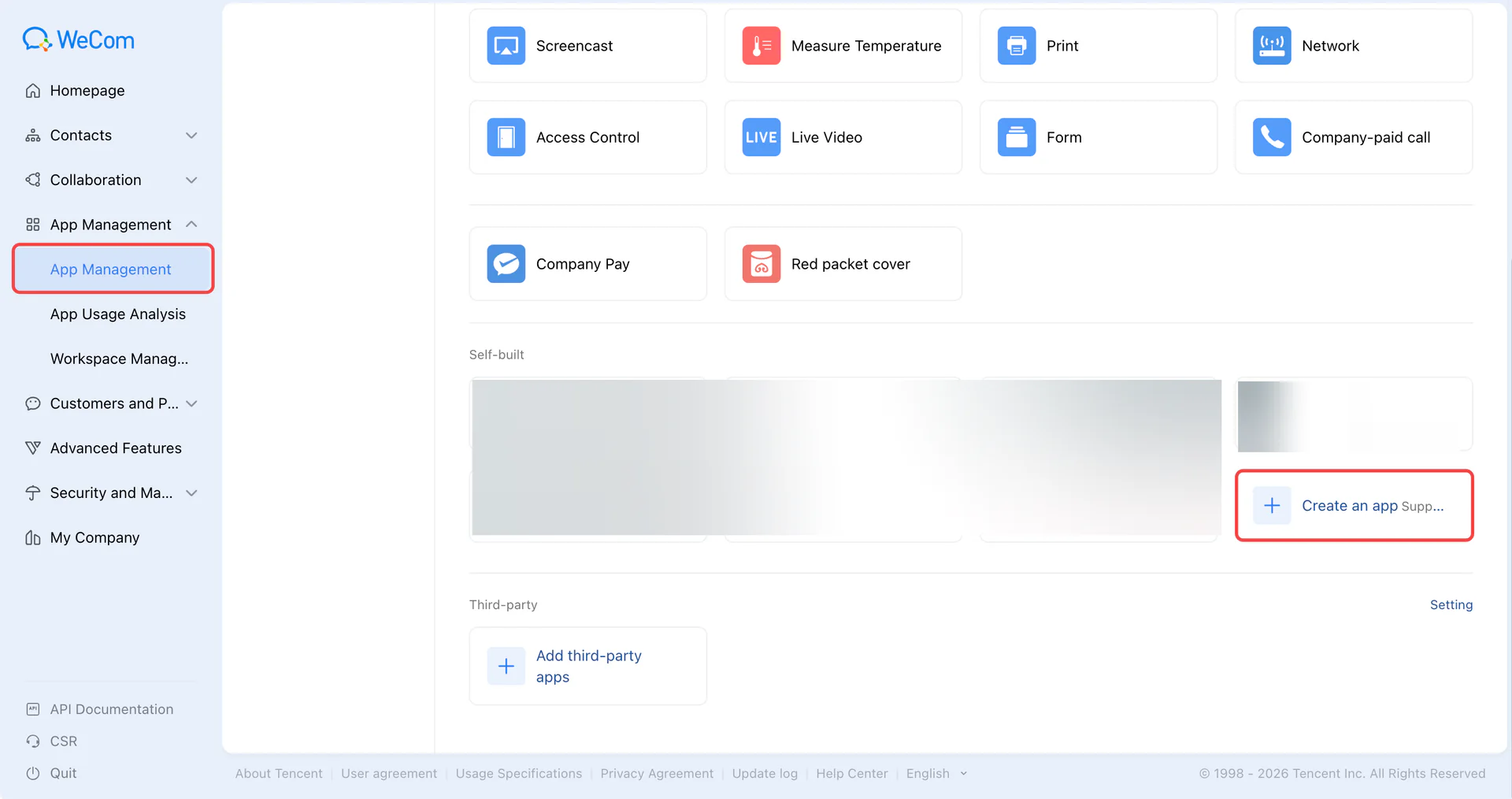
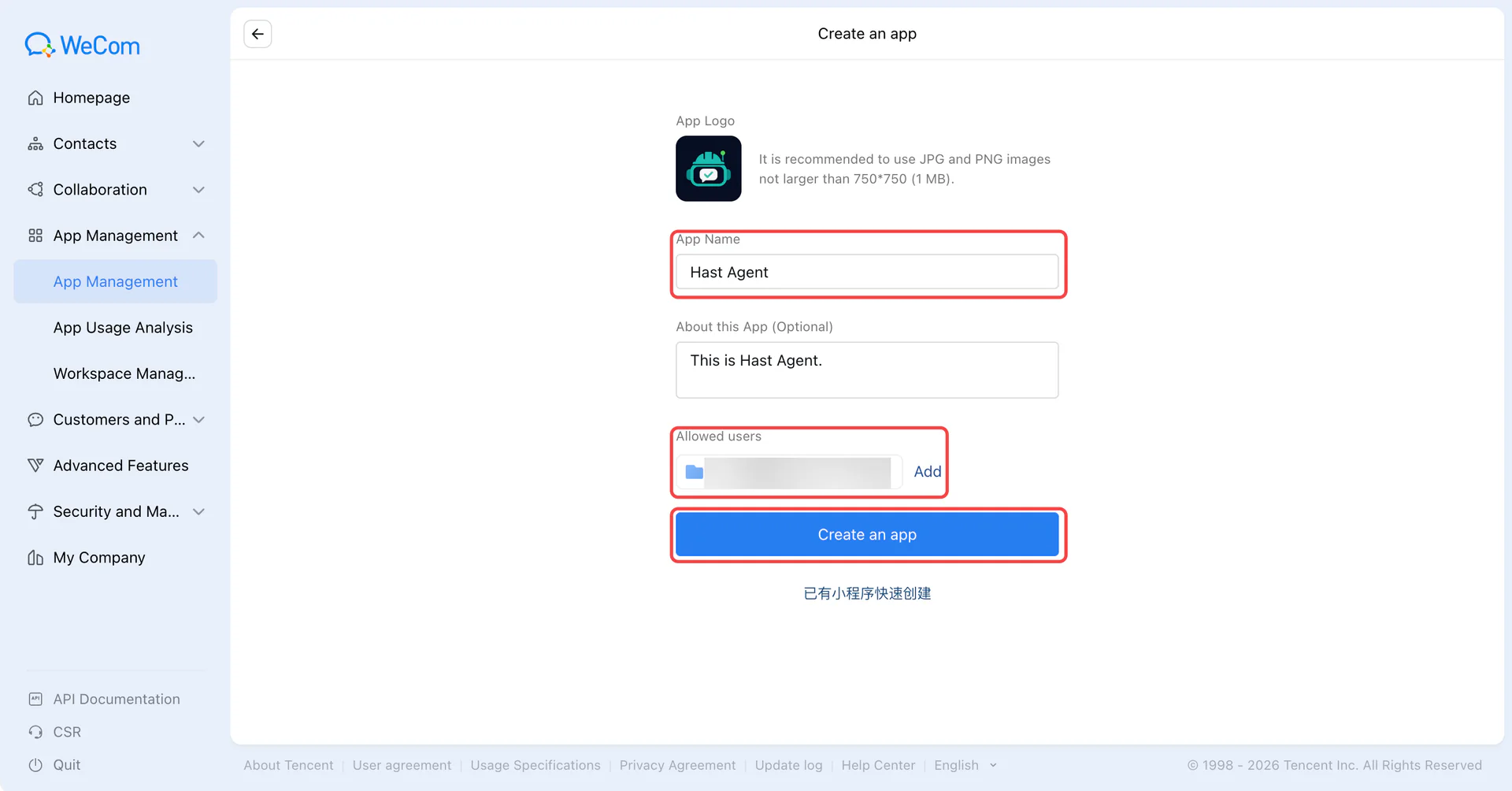
In the WeCom admin console, open App Management → Custom Apps and create or select the app for this integration. Set its name, icon, and visibility.
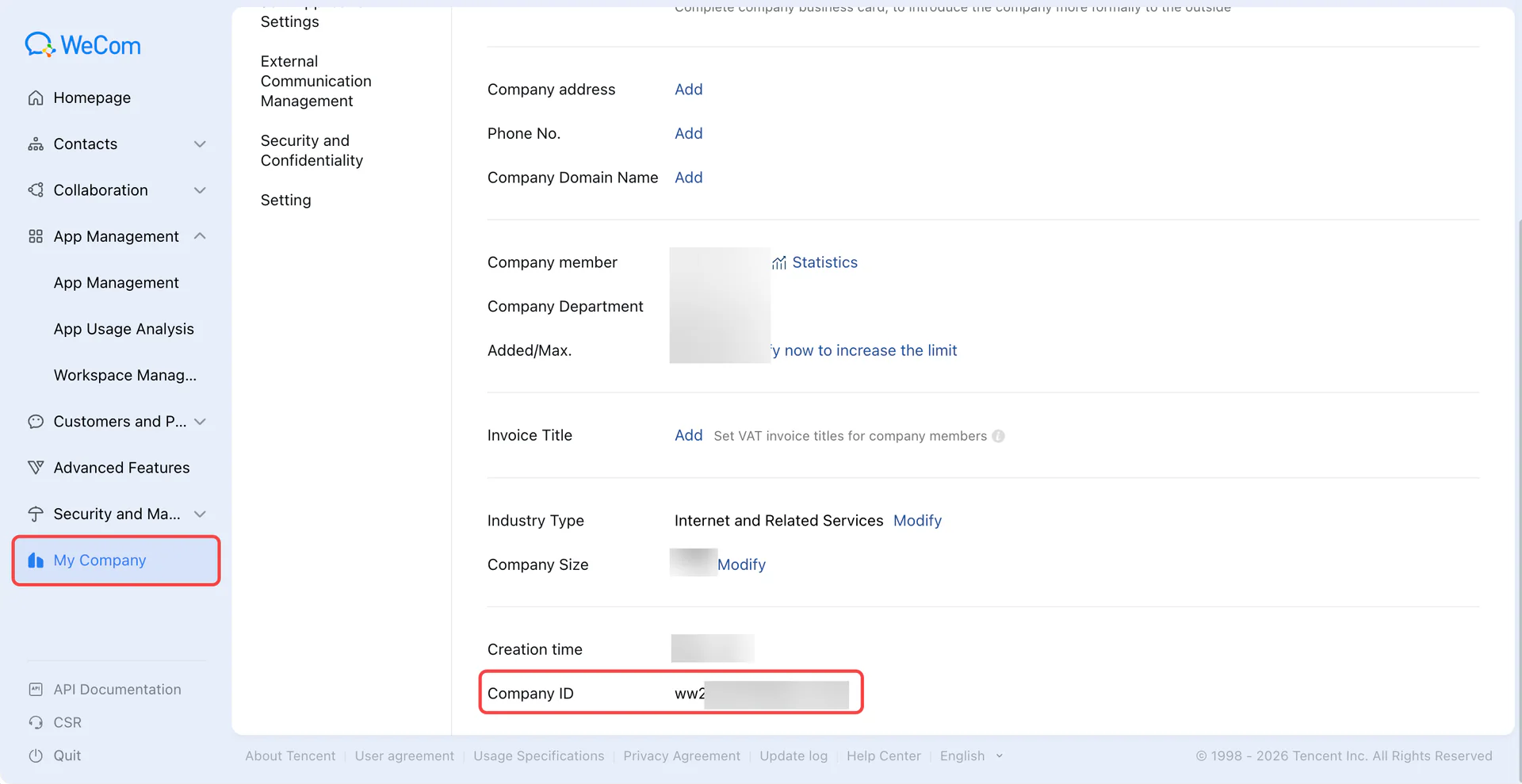
Copy the Corp ID from My Enterprise → Enterprise Information.
Prepare callback credentials
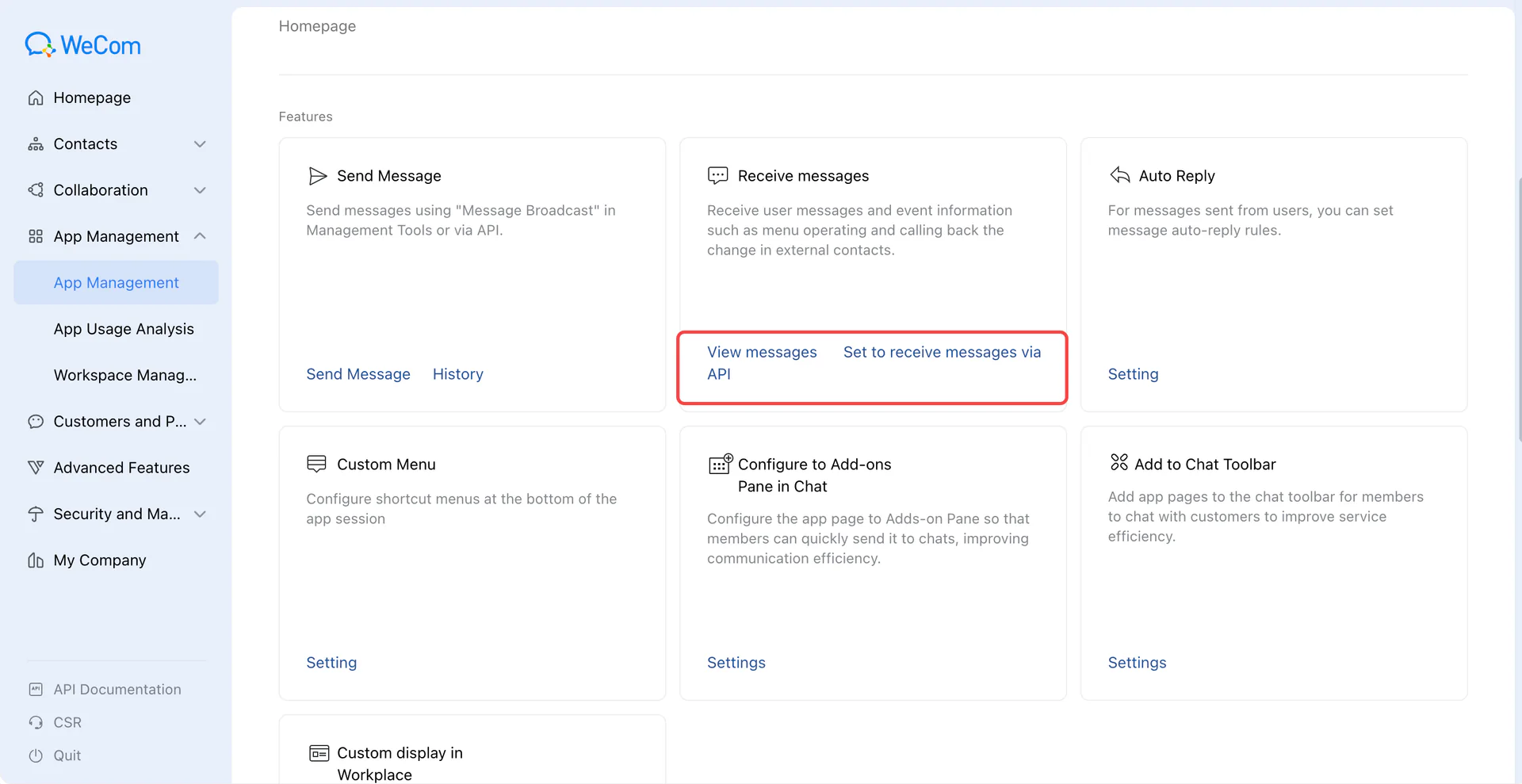
Return to the app and open Receive Messages → Set API Reception. Generate and save the Token and EncodingAESKey. Leave URL submission for later.
| Field | Value |
|---|---|
| Token | Generated verification string, 3–32 characters |
| EncodingAESKey | Complete generated 43-character encryption key |
Create the AIP channel
Add a WeChat Customer Service channel in AIP. Enter its name, Corp ID, Token, and EncodingAESKey. After creation, open the installation settings for the callback URL, domain verification address, and trusted IPs.
Verify the domain and trusted IPs
If domain verification is required
Download the WW_verify_*.txt file from WeCom and upload it unchanged in AIP’s channel installation settings (up to 4 KiB). Open its public URL and check the original content, then verify in WeCom. Enter only the supplied domain in the domain field, without the /webhooks/ path.
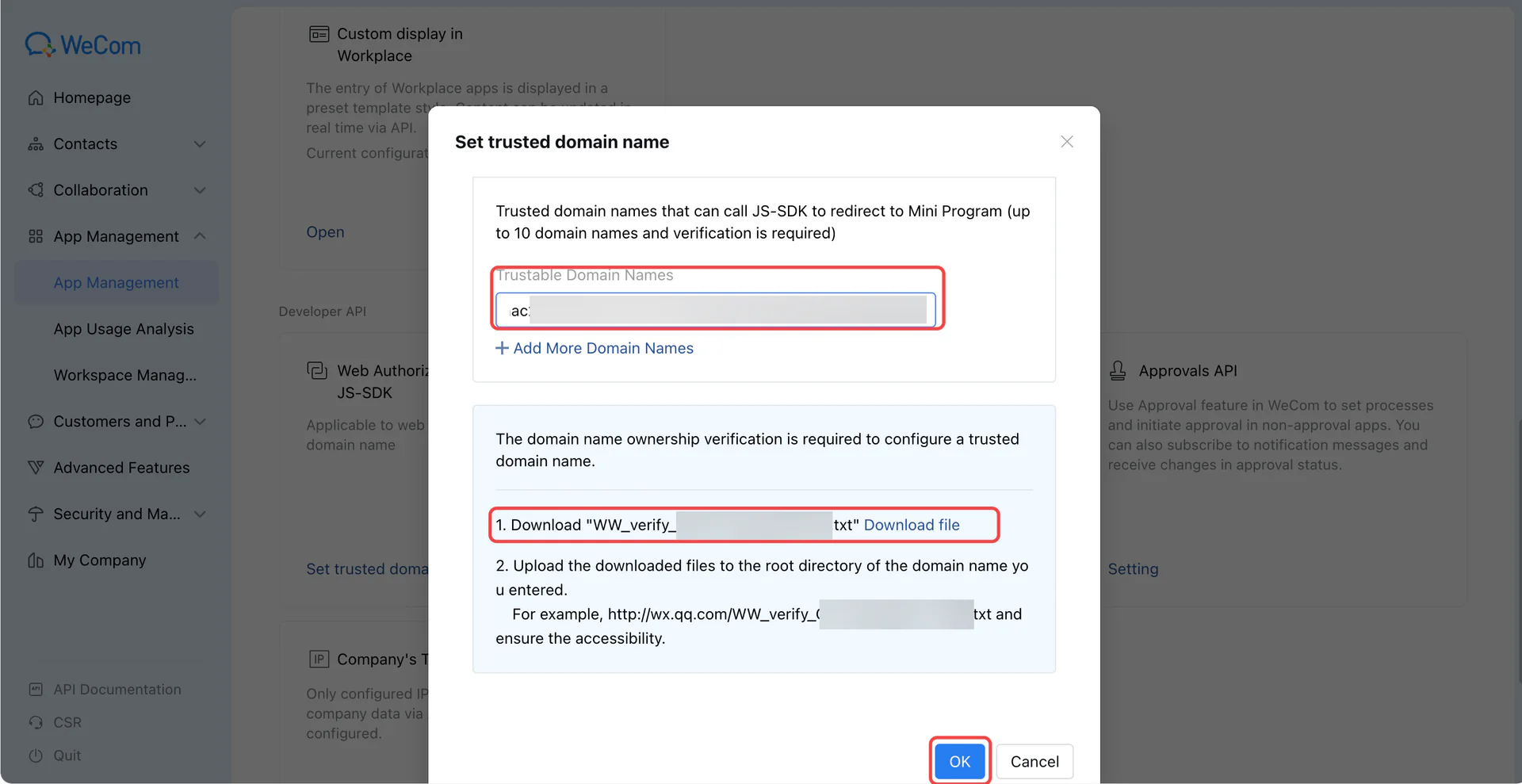
Add every IP listed in AIP’s installation settings to the app’s trusted IP list and save.
Save callback settings
Return to API message reception, complete these fields, and save.
| Field | Setting |
|---|---|
| URL | Complete AIP callback URL, including /webhooks/wechat_kf/ |
| Token, EncodingAESKey | Same values used to create the AIP channel |
| Events | Enable WeChat Customer Service messages and events |
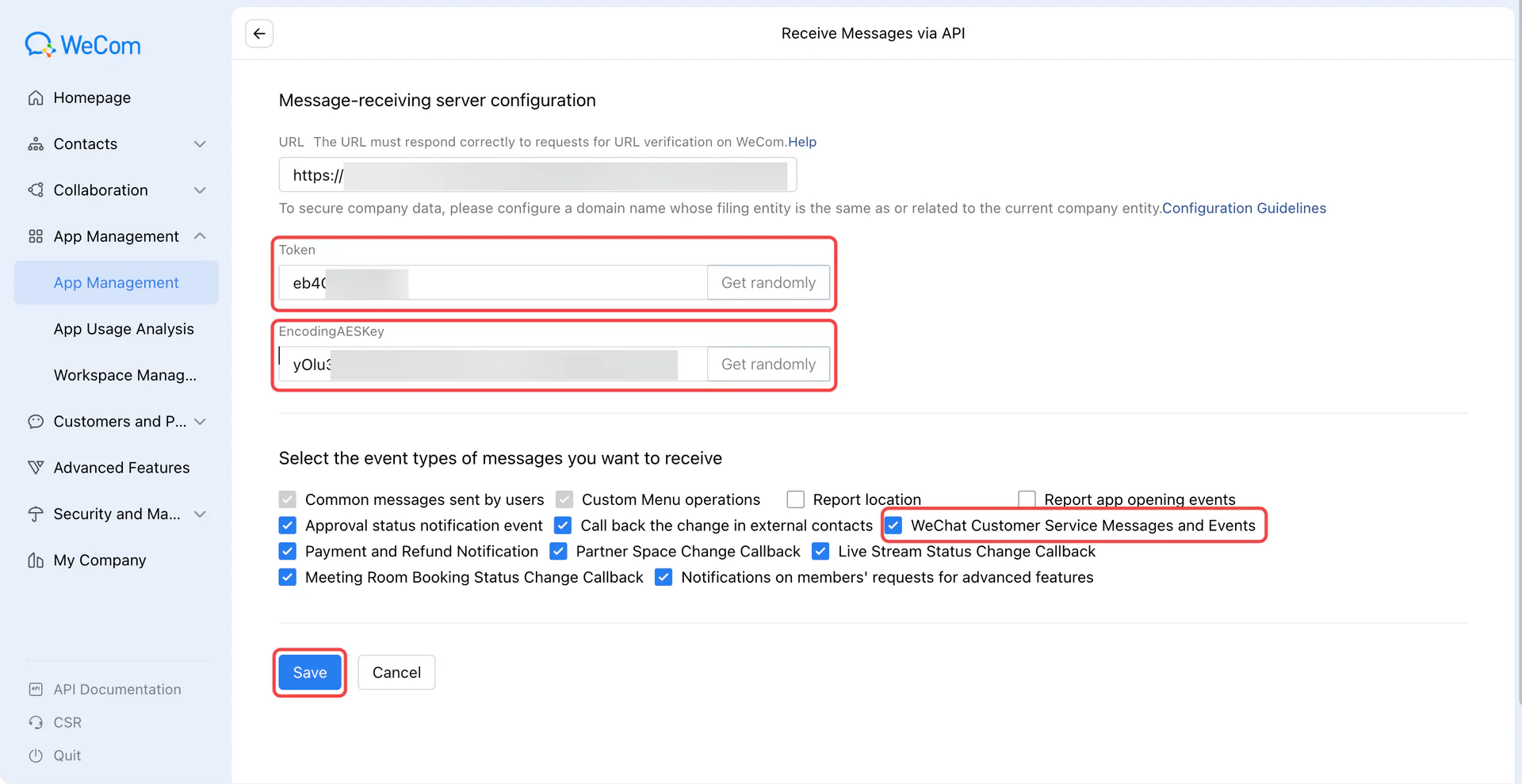
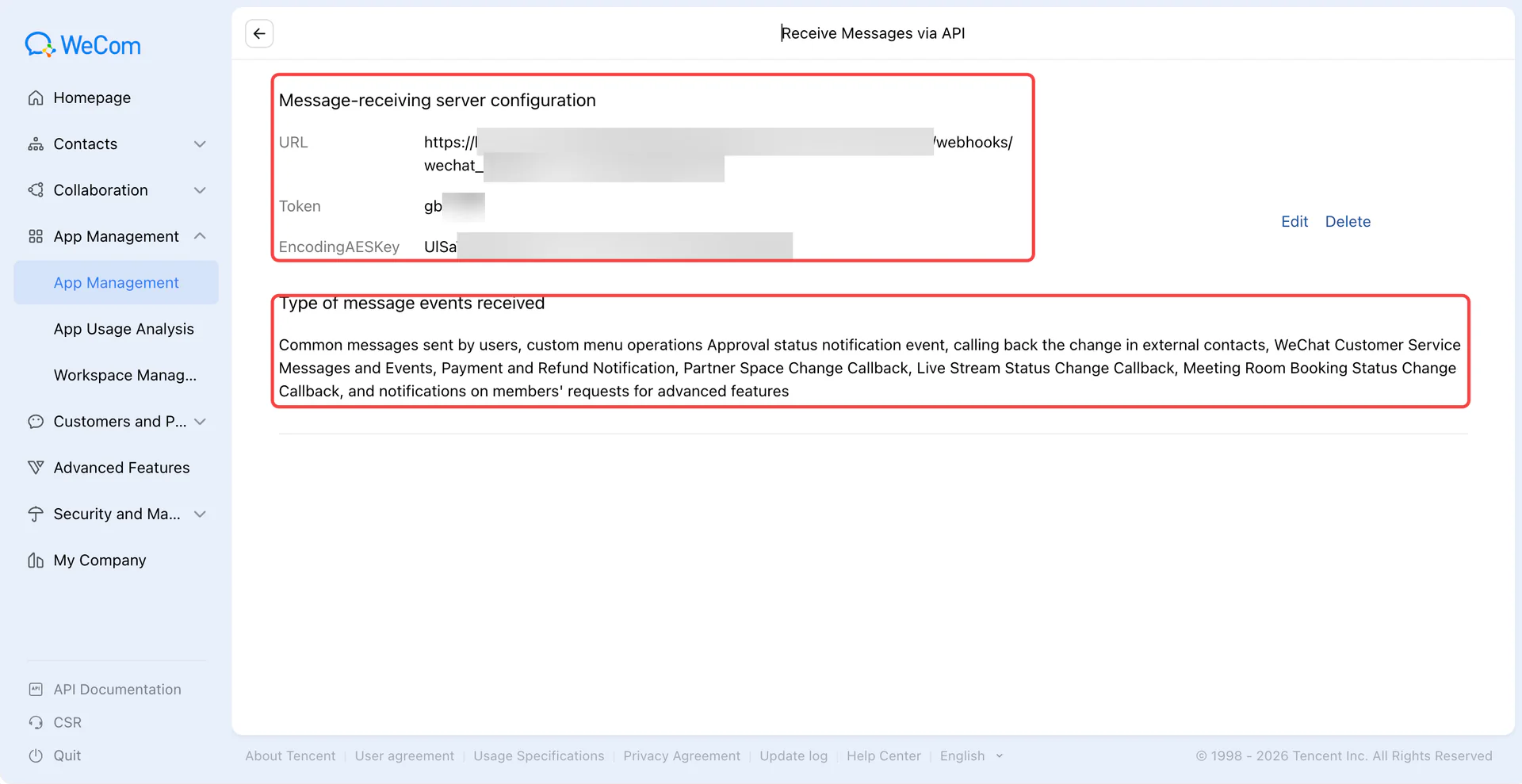
View the saved settings
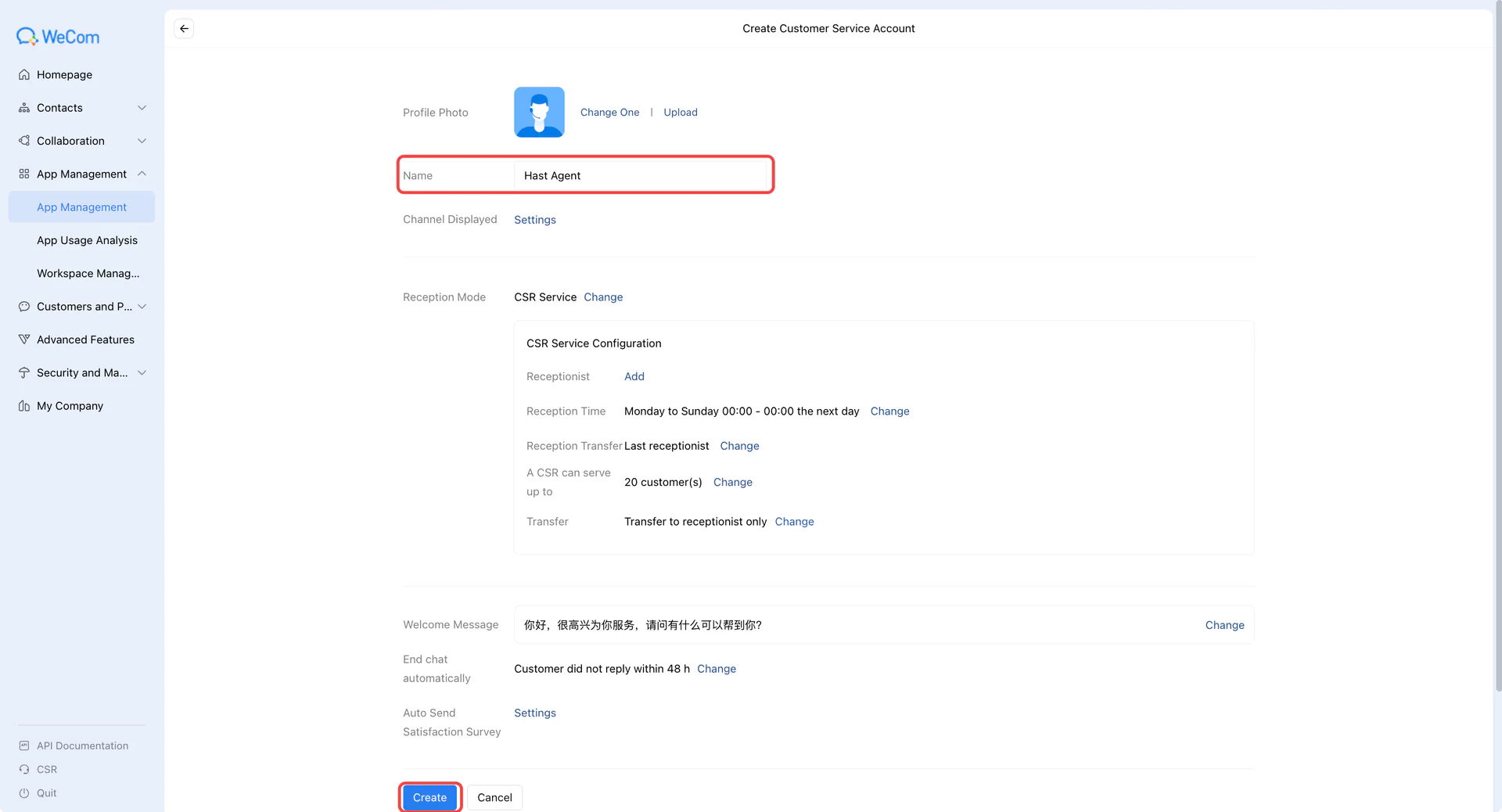
Authorize customer service accounts
Open WeChat Customer Service and create or select a service account with its name and avatar.
Expand the account’s API settings. Edit Apps Allowed to Call APIs and select the app created earlier.
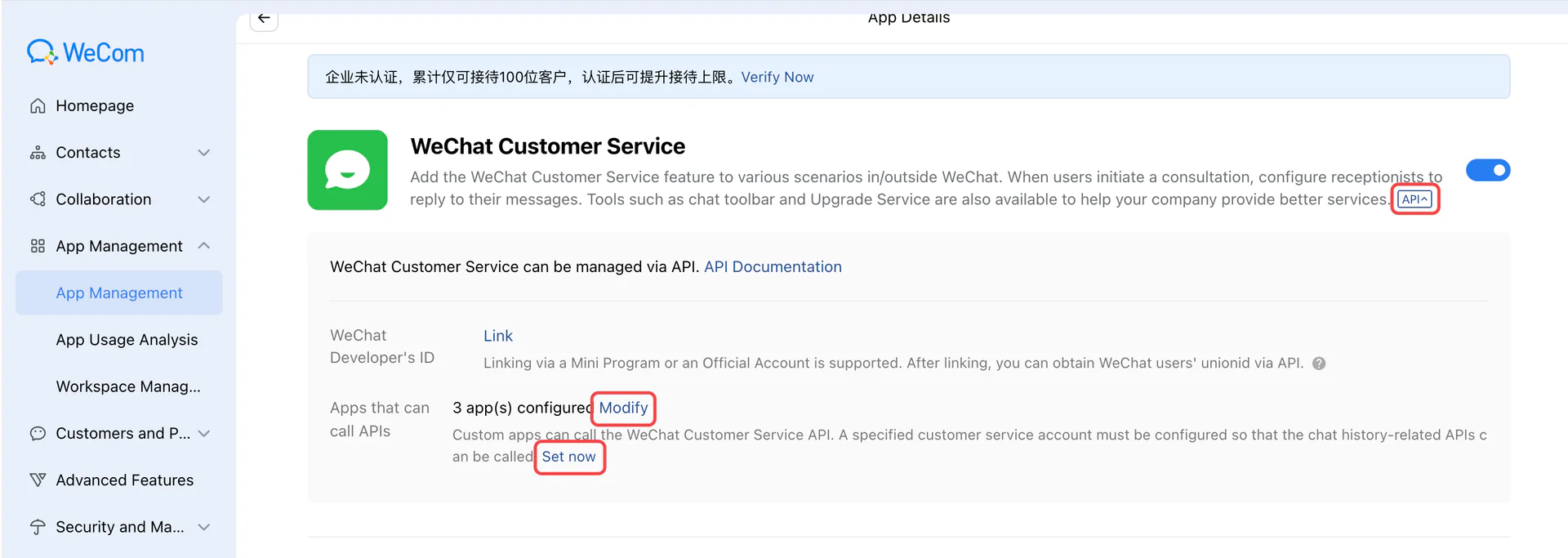
In Internal Development, associate the service account with that app and confirm the app can manage it.
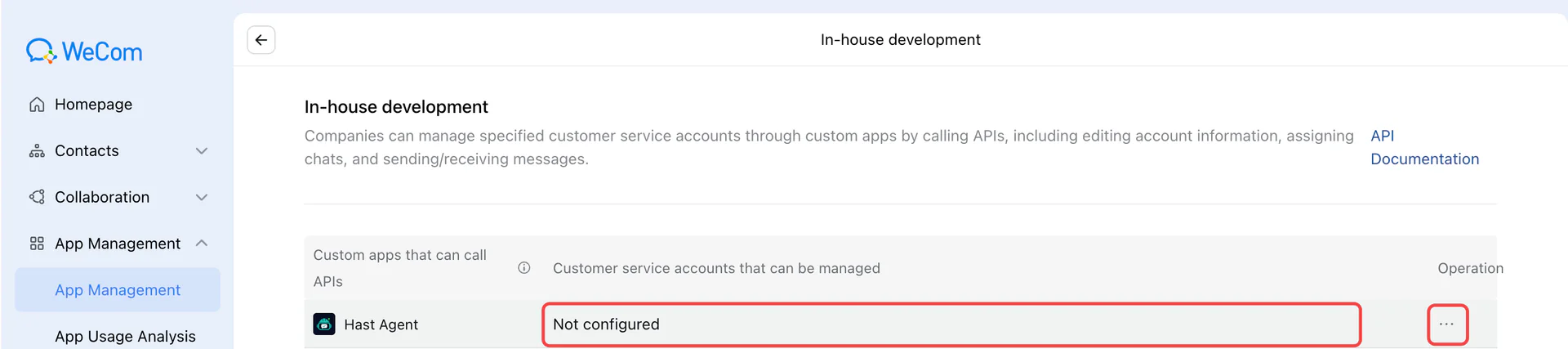

Finish installation in AIP
In the authorized app’s details, select View Secret and follow WeCom’s instructions to retrieve it in the client.
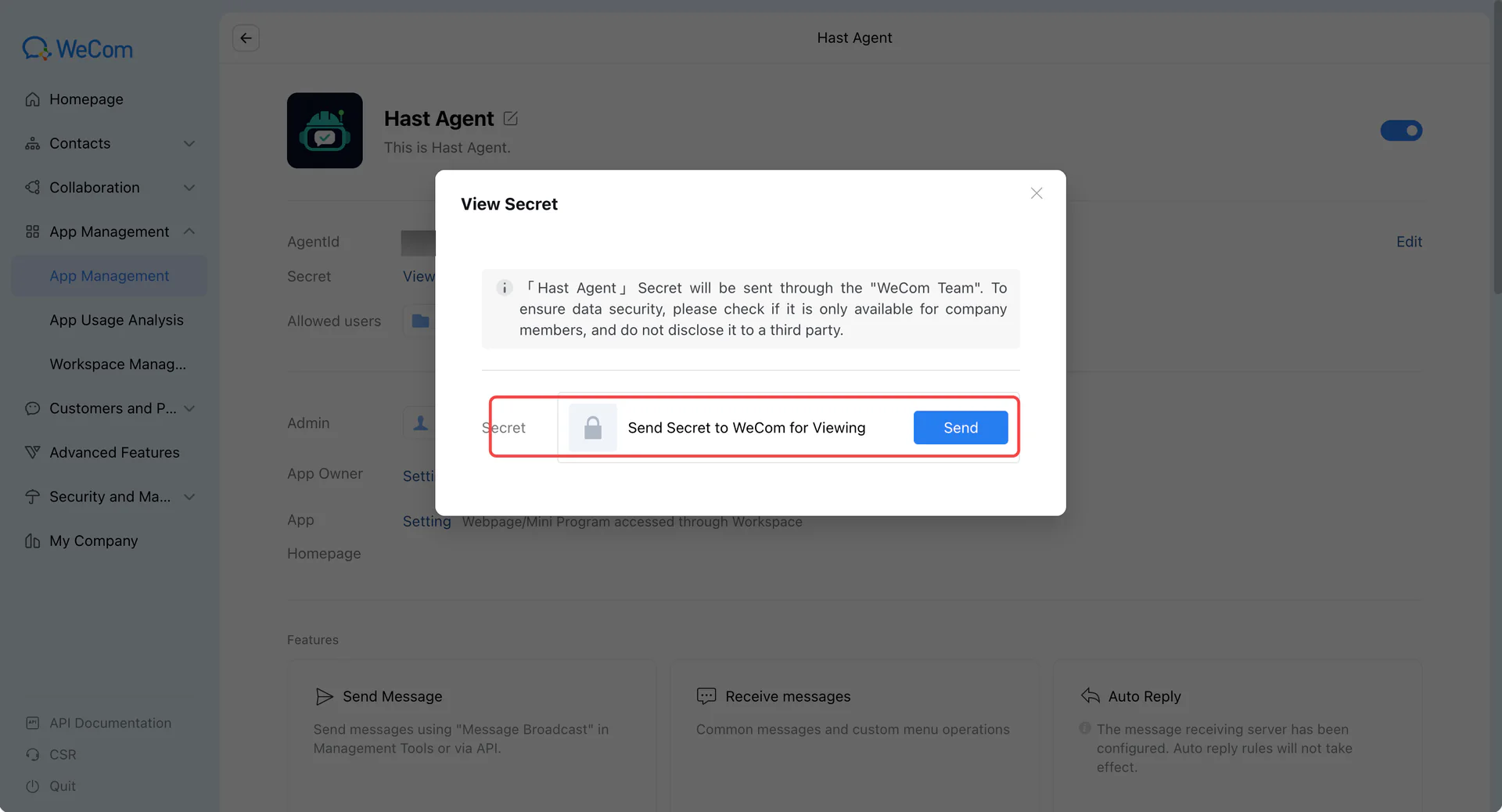
Return to AIP’s installation settings, enter the Secret, fetch the service account list, and select the target by name. Complete verification and bind an enabled Agent. A single manageable account is selected automatically.
Test replies in WeChat
Use a customer’s WeChat account to open the service link or scan its QR code. Send a message and confirm the Agent’s reply, then test an image or voice message.
Troubleshooting
Domain or callback verification fails
Check that the verification file is publicly accessible and unchanged. Use the complete callback URL and matching Token and EncodingAESKey on both sides.
Cannot load service accounts
Check the enterprise and app associated with the Corp ID and Secret, customer service authorization, and all required trusted IPs.
Messages arrive without replies
Check customer service events, Agent status, channel admission, and platform reply restrictions. Give an administrator the service name, send time, and error code.